
New to Gudu SQLFlow? Start here. Paste a query and get column-level data lineage in seconds. Below is a worked example, the three ways to use SQLFlow, and where to go next. You only need basic SQL knowledge — no prior data lineage experience required.
Try it now: open the free SQLFlow visualizer, paste the SQL below, pick the database, and click Visualize.
A worked example: column-level lineage from one query
Consider this statement, which loads a summary table from two source tables:
INSERT INTO deptsal (dept_no, dept_name, salary)
SELECT d.deptno,
       d.dname,
       SUM(e.sal + NVL(e.comm, 0)) AS sal
FROM   dept d
       LEFT JOIN (SELECT * FROM emp
                  WHERE hiredate > DATE '1980-01-01') e
              ON e.deptno = d.deptno
GROUP  BY d.deptno, d.dname;
The data in deptsal comes from dept and emp. SQLFlow deduces the exact column-level relationships:
deptsal.dept_nocomes fromdept.deptnodeptsal.dept_namecomes fromdept.dnamedeptsal.salarycomes fromemp.salandemp.comm, combined throughSUM(...)
It also captures the indirect lineage that shapes the result without appearing in it: emp.hiredate in the WHERE filter and dept.deptno/emp.deptno in the JOIN. SQLFlow renders all of this as an interactive diagram you can explore, trace upstream and downstream, and export.
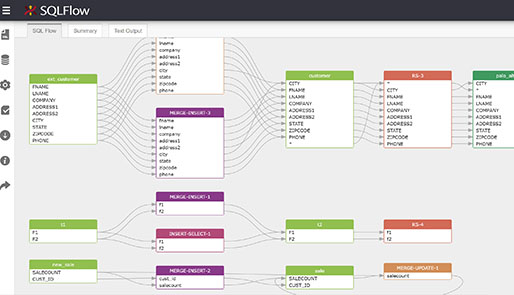
Three ways to use SQLFlow
Next steps
Ready to see your own SQL?
Paste a query into the free visualizer and watch its column-level lineage appear.